LocalGPT
A downloadable AI-tool for Windows
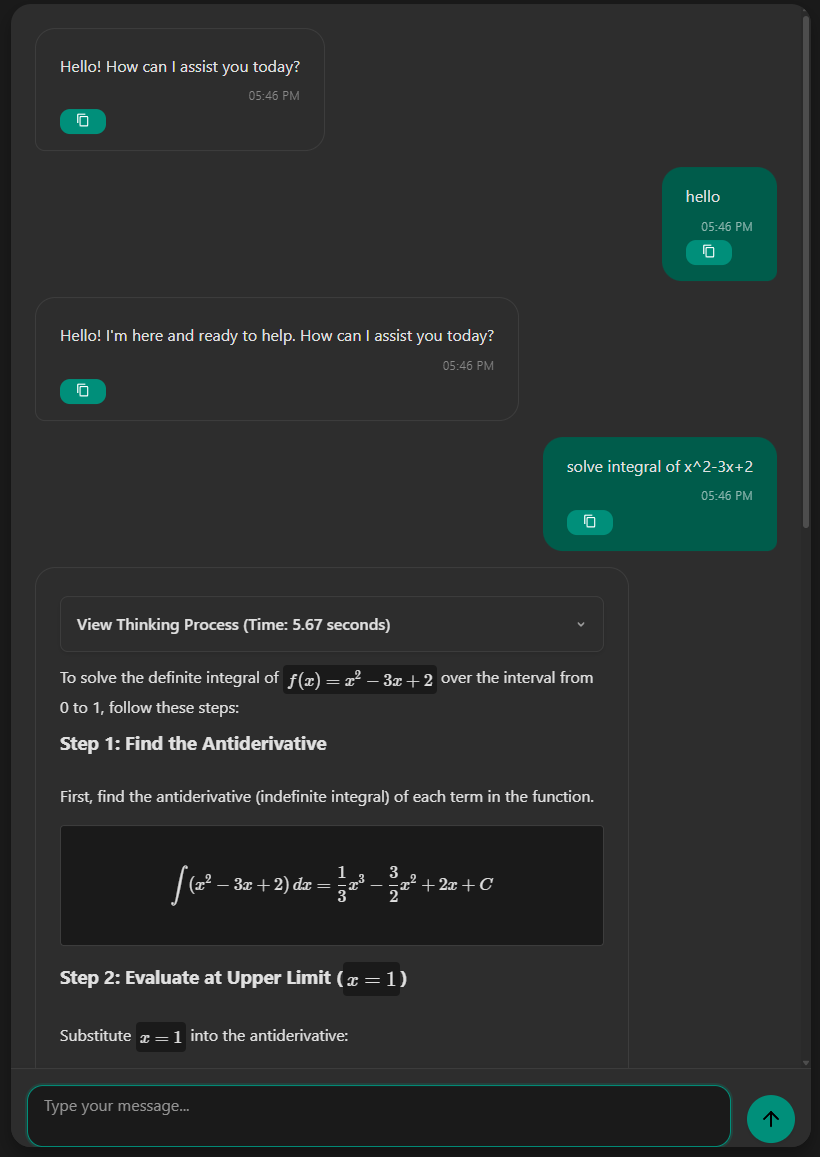
LocalGPT, developed by TUSI, is an AI-powered chat application designed to operate within your local network, ensuring data privacy and secure operations. It serves various purposes, including accessing internal knowledge bases, providing secure internal customer support, facilitating development and testing of AI applications, enhancing educational programs, and integrating AI assistance into internal systems.
Download
Install instructions
Windows Installation Instructions
- Click the "Download" button above to get the Windows installer (
LocalGPT.exe). - Once the download is complete, open your Downloads folder.
- Double-click the
LocalGPT.exefile to start the installation. - If you see a Windows SmartScreen warning, click More Info.
- Then, select Run anyway to begin installation.
- Follow the on-screen instructions to complete the installation.
- After installation, open the app from the Start Menu or search for "LocalGPT".
- To run the app, open the
LocalGPT.exefile. You can move it anywhere on your system.
Leave a comment
Log in with itch.io to leave a comment.